Session status messages
Session Status

Due to inactivity, your session will end in approximately 2 minutes. Extend your session by clicking OK below.

Due to inactivity, your session has expired. Please sign in again to continue.

Push to Talk Plus Contact Management Tool - Remove External Contacts

2026-10-15 04:19:00.31

Push to Talk Plus Contact Management Tool - Remove External Contacts

Here's how to remove external contacts with the Push to Talk Plus content management tool.
  1. Sign in to the Push to Talk admin page via My Business.
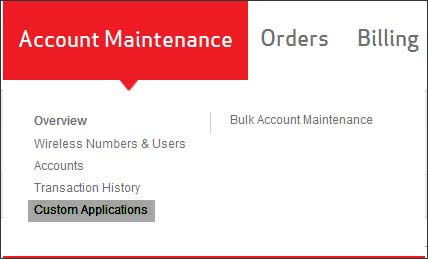
  2. From the Account Maintenance tab, click
    Custom Applications
    .
    Custom Applications link
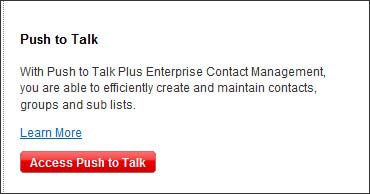
  3. Click
    Access Push to Talk
    .
    Access Push to Talk
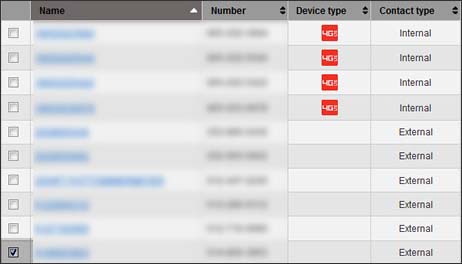
  4. Select (check) one or more external contact(s).
    Select External contacts
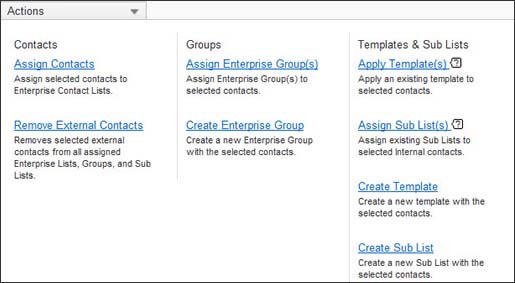
  5. From the Actions dropdown, click
    Remove External Contacts.
    Actions menu
  6. Click
    Delete
    .