Enable / Disable Wireless Radio (Internal) - Verizon 4G LTE Broadband Router
Here's how to turn the Wi-Fi router radio setting on your Verizon 4G LTE Broadband Router on or off.
Enabling the wireless radio enable the router to work as a wireless access point. When enabled, the Wi-Fi LED is solid blue (initialized) or blinking blue (transmitting data).
When the Wi-Fi radio is disabled using the router interface, it cannot be turned on using the Wi-Fi button.
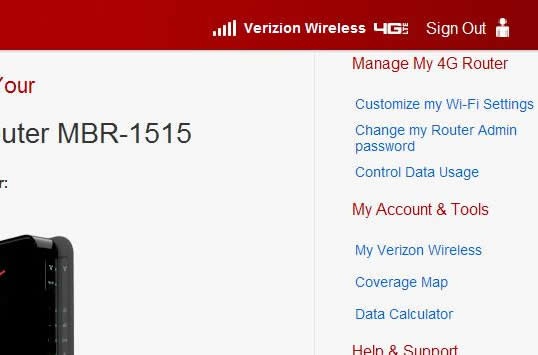
- Access the router configuration tool then clickCustomize my Wi-Fi Settings(upper-right corner).For assistance with accessing the router configuration page, refer to Accessing the Router Configuration.
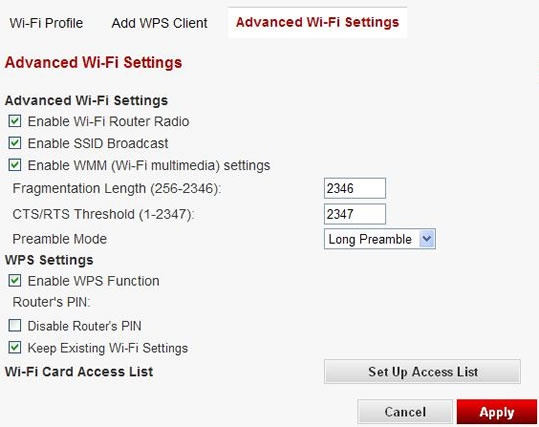
- From the Advanced Wi-Fi Settings tab, ensureEnabled Wi-Fi Router Radiois checked / unchecked then clickApply.The radio is enabled when a check is present.
- If presented, clickOKto restart the router.The restart process may take up to 2 minutes.